How Availo Works
From first login to a full appointment book — here's what to expect.
Never double-book again
See all your appointments at a glance. Color-coded statuses show you what's pending, confirmed, completed, or cancelled. View by day, week, or month, and filter by team member. Availo prevents conflicts automatically.


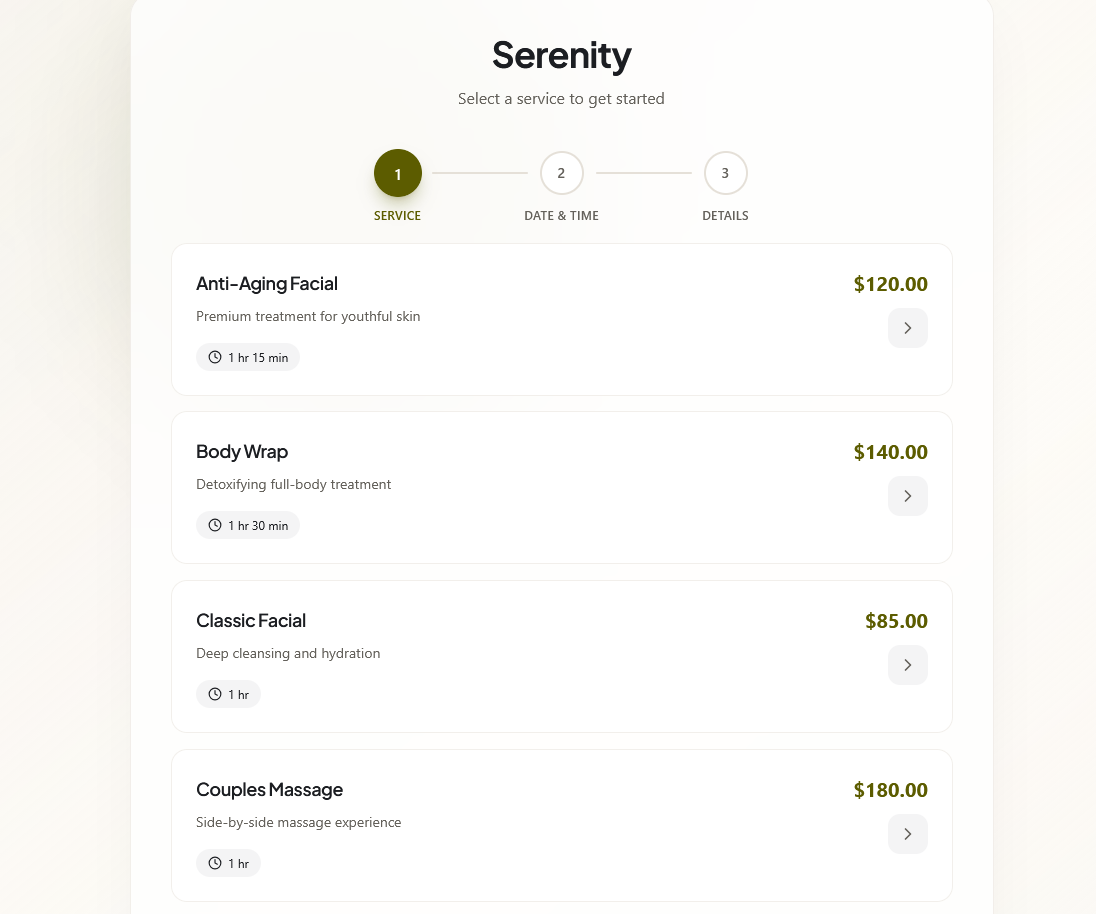
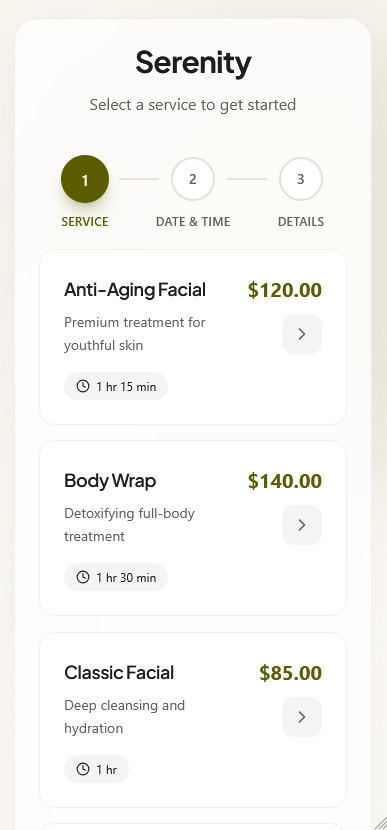
Let customers book exactly what they need
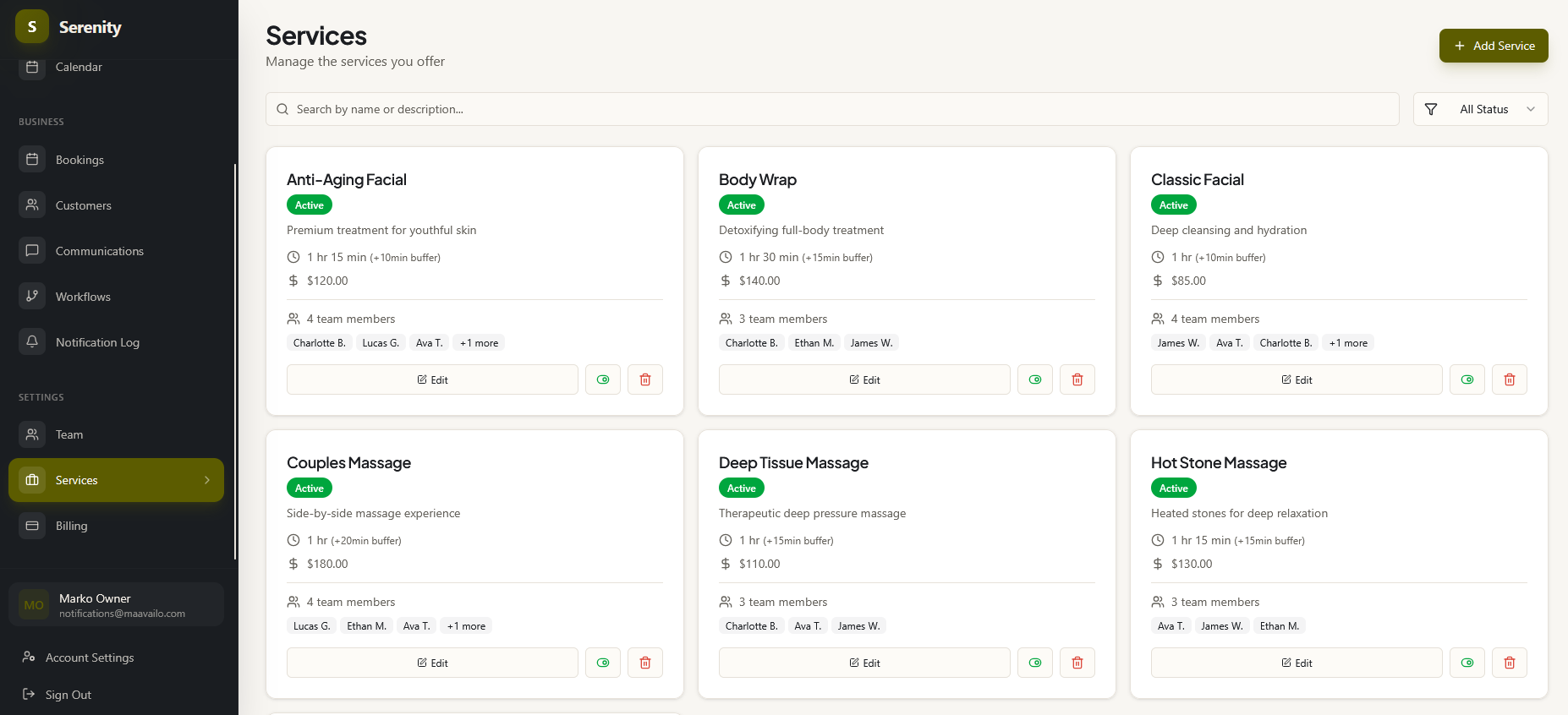
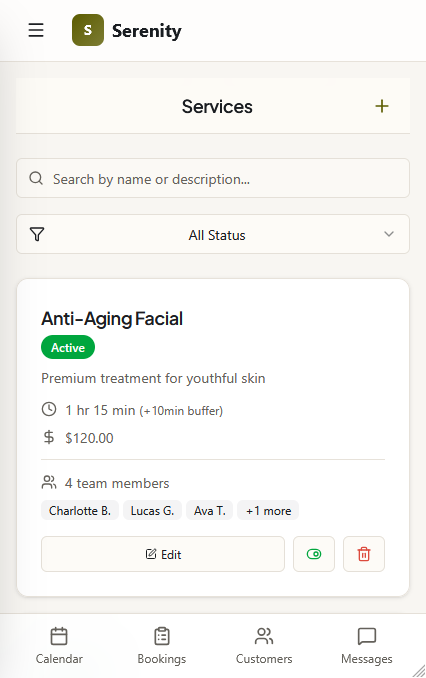
Create your services with names, descriptions, durations, and prices. Assign which team members perform each service. Clients see only what you offer and book the right treatment every time.
Add team members in seconds
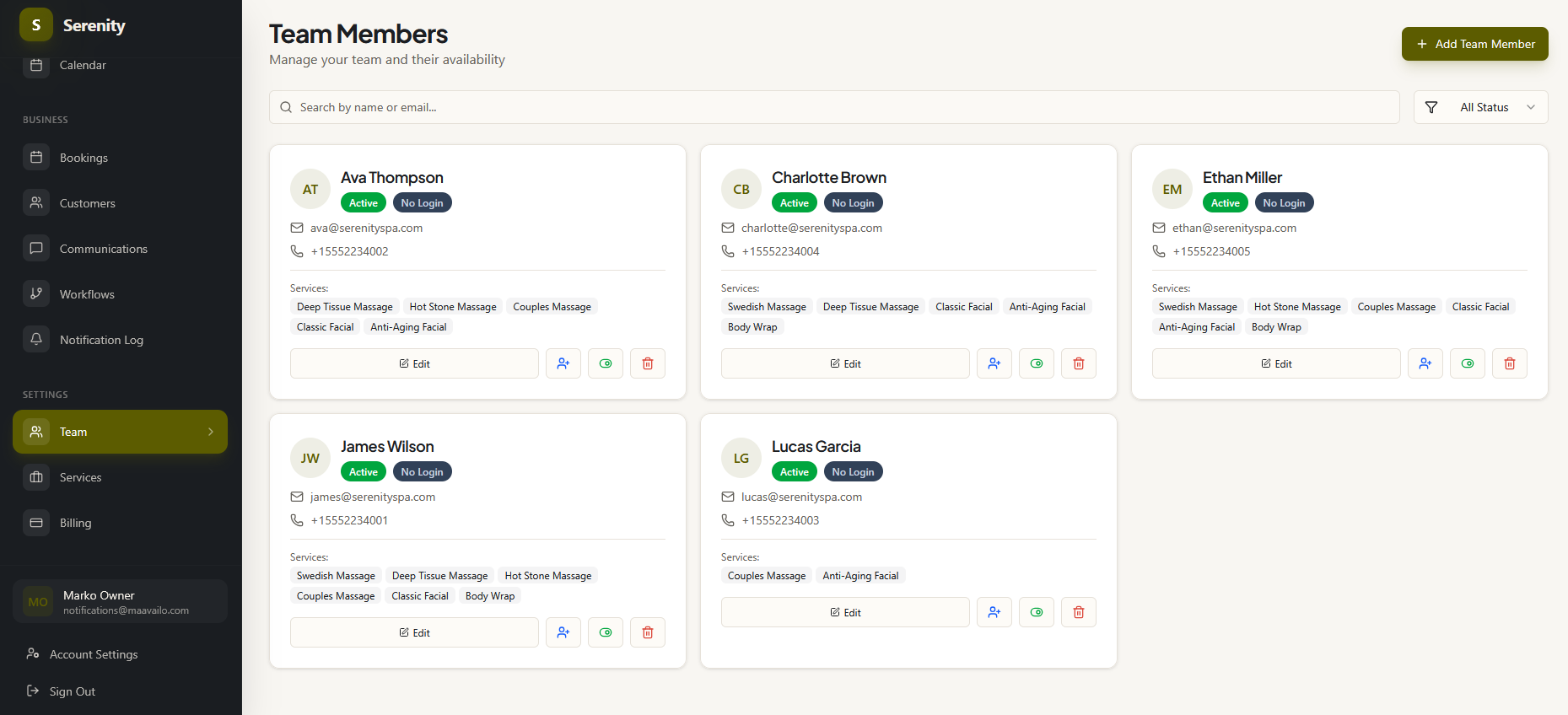
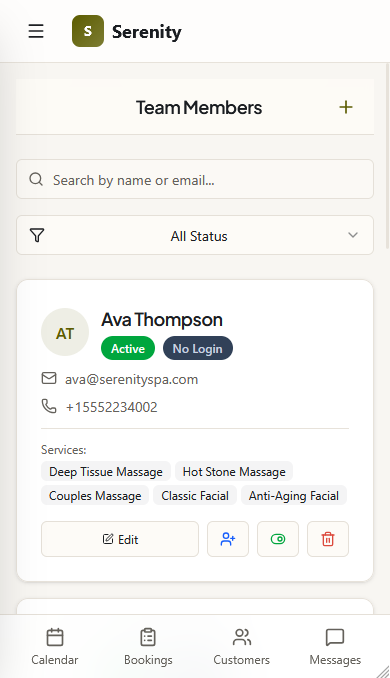
Invite your team, set individual schedules, assign services, and control who can do what. $19 for your first user and just $12 for each additional — growing your team won't blow up your bill, and no hidden fees or paying extra to unlock features.
Get booked while you sleep
Every Availo account gets a booking page that's live 24/7. Share the link on your website, social media, or Google Business profile. Clients book while you're in session. They see every open time from your whole team, pick what works, and Availo prevents double-bookings automatically.
Communicate without leaving the app
Text and email your clients right from the app — every conversation is saved to that client's profile. Automatic reminders go out on their own, so your phone stays silent during sessions. Need to follow up yourself? Do it from the same place.
- Text your clients and they can text you back — you see replies instantly
- Automatic reminders and confirmations (text + email)
- Manual messages from any team member
- Every message saved to that client's page
- Email included at no extra cost
Know every customer's history
Every client gets a profile with their complete booking history, all their messages (texts and emails), and any notes or details your team tracks. Allergies, pressure preferences, areas to avoid — everything is in one place. No more "remind me, firm or light pressure?"
- Booking history with status and team member
- Every text and email conversation in one place
- Custom details you track — visible when booking and on client profiles
- Notes and preferences that follow the customer
Hi Anna! Reminder: Deep Tissue Massage tomorrow at 10am with Sarah. Reply C to confirm.
C - See you tomorrow! Can I get the same color as last time?
Thanks for coming in today, Anna! Here's your aftercare instructions...
All this for $19/month — and just $12 for each additional team member.
14 days free · All features included · Cancel anytime